I made a silly mistake this past couple weeks in Airtable, which is what I use to store all my events as a backend for Vet Tent.

I had a filtered view that was showing me events that were occuring each day and all future events. In the background, I have an automation turning past events into “expired”.
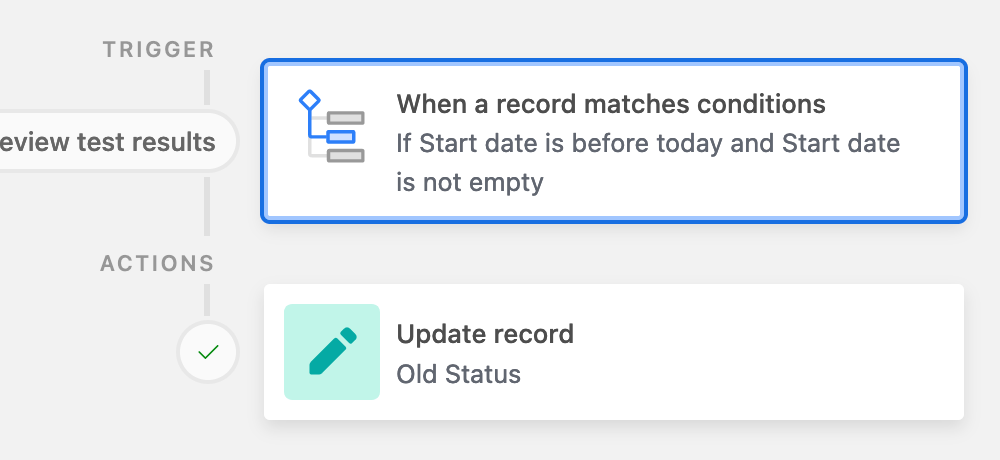
My mistake was assuming that the automation was running because in my own view, I only saw future events and it looked good; however, when you looked at events on the website it listed past events because the automation stopped running and I DIDN’T KNOW.
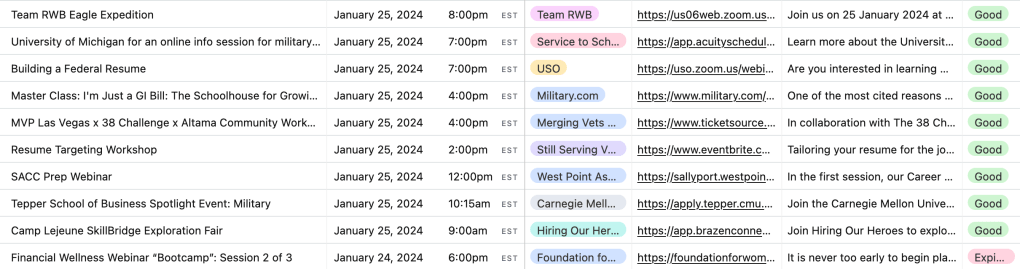
If you were to look at the image below, on Jan 29, you’d see all these events that should have become “Expired” like the red in the bottom right, but the automation failed.
However, after asking the right question to perplexity.ai I found a more elegant solution that doesn’t use my limited air table automations.
“How to set up airtable to change any past events into “expired” status?”
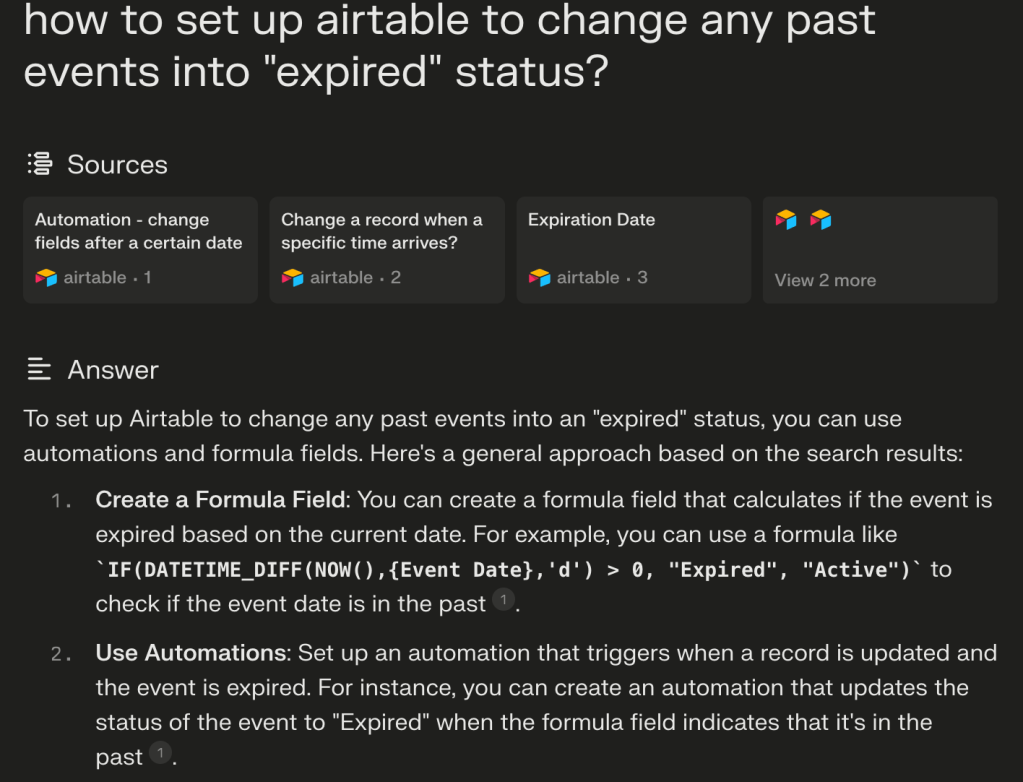
I was able to create a formula column that conducted the automation for me and updated in real-time. This was way more graceful than my previous solution

This elegantly solved all my future problems with past events being shown. I’m no longer reliant on Airtable’s automations, which was a huge risk to the user experience.
I have now turned off all my airtable automations and will save those for special occasions that require a high degree of complexity.
Key Take Away: You can filter your views for ease, but ensure you still see the reality.
 Nick Co
Leave a comment